

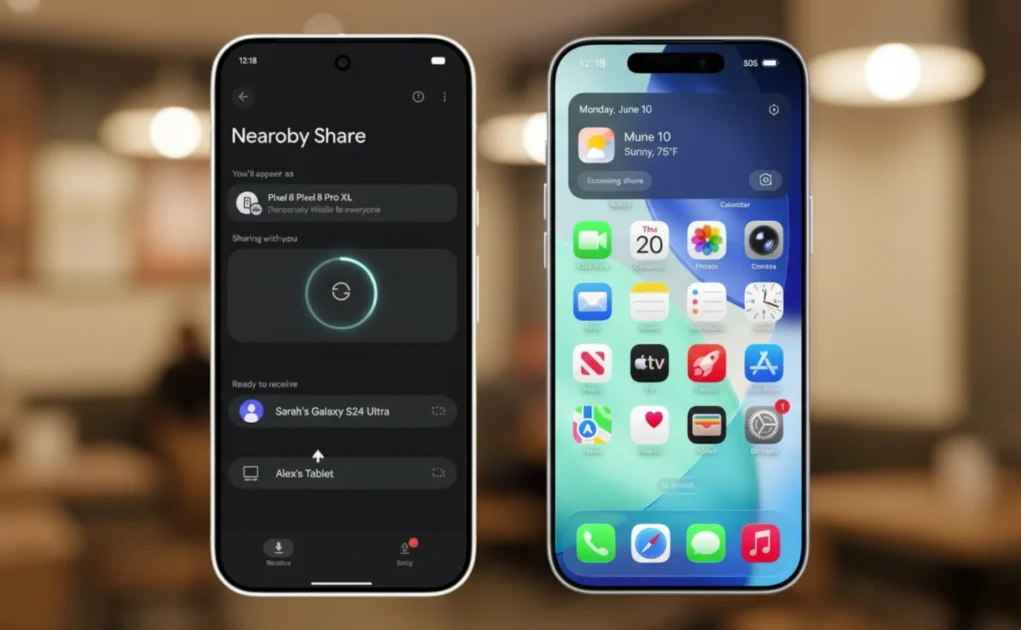
Over the years, Apple users have benefited from the convenience of AirDrop, which is fast and wireless in file sharing across computers. Many users of Android have posed the same question several times, and the question is, is there AirDrop in Android? Yes, but slightly differently, it is also possible. Android platforms also have their own considerable alternatives, which offer the same functionality, speed, and user friendliness. In this article, we will determine the truth concerning the working of AirDrop, which tools support it, and how you can be able to make use of it.
What Is AirDrop and Why Does Android Need an Alternative?
AirDrop is a smart feature of Apple that supports sharing without the internet. The Android devices are produced by various producers, so it took time to develop a single sharing system. Nevertheless, Google felt this necessity and came up with solutions that work in the same manner as AirDrop, especially on Google Pixel devices.
Nowadays, one can use AirDrop in Android by using built-in functions and reliable applications that enable the sharing of photos, videos, documents, applications, etc., instantly without consuming mobile data.
Nearby Share: Android Google Airdrop Version
The official response to AirDrop, which is already installed on most gadgets, is Nearby Share, recently renamed to Quick Share. It is the purest variant of Airdrop in Android, and it is also installed on most Android smartphones.
Nearby Share uses:
- Bluetooth to identify local devices.
- WiFi Direct to exchange files fast.
- High security by end-to-end encryption.
Android users can share huge files in only a few taps, and it is as trustworthy as AirDrop, used by Apple.

What Android Devices Are Supported by AirDrop?
In Android, AirDrop is activated in the majority of contemporary Android phones through Nearby Share or Quick Share. The current is compatible with the gadgets with Android 6.0 (Marshmallow) and newer versions, yet with even newer Android versions can be used. It integrates well-known brands, such as Samsung, Xiaomi, OnePlus, Oppo, Vivo, and Google Pixel.
Quick Share is also built into Samsung phones as a native app of Android Airdrop that other phones have, such as Nearby Share by Google.
Android (Nearby Share) How to Airdrop
Airdrop is easy and convenient to use on Android:
- Turn on Bluetooth and WiFi
- Click on the file that you want to share.
- Tap Share
- Quick Share / Select Nearby Share.
- Choose the nearby device
- Accept the transfer into the receiving phone.
- It is no hustle and quick, and it does not need the internet.
Top Third-Party Apps that Appear in AirDrop on Android
Besides Nearby Share, there are a few applications with a great airdrop on Android:
- SHAREit
One of the most popular apps that enables the sharing of files at an ultra-fast speed on Android, iOS, and PCs.
- Xender
Offline and cross-platform transfer.
- Send Anywhere
Shares using WiFi Direct and temporary codes.
These applications particularly come in handy during file sharing between Android and non-Android devices.
Android AirDrop vs. AirDrop in Apple
Apple AirDrop is restricted to Apple products, whereas AirDrop on Android is usually more flexible.
| Feature | Android | Apple |
| Cross-brand support | Yes | No |
| Internet Required | No | No |
| File size limit | No | No |
| Windows support | Yes | No |
Such a feature of AirDrop in Android makes it a formidable competitor, particularly when the user changes devices frequently.
Is AirDrop in Android Safe?
Yes, an airdrop in Android is a secure one. File encryption is used in Google to secure transfers. The users also have the power to decide which ones can send files by selecting:
- Contacts only
- Devices nearby
- Hidden mode
This guarantees privacy and prevents unwanted file sharing.
Popular Myths of Airdrop in Android
Myth 1: Android does not have AirDrop.
False. Android Share is an equivalent of AirDrop.
Myth 2: Android is slower in file sharing.
False. With WiFi Direct, transfer is very rapid.
Myth 3: To share files, you need the internet.
False. Android AirDrop is not online.
Why the Airdrop Feature in Android Is an Improvement
The sharing facility of Android is underestimated by many users. Android Airdrop has, in reality, the following benefits to provide:
- Large files can be accessed faster.
- Interbrand compatibility.
- Simple interoperability with Windows computers.
- None of the reliance on cloud services.
The feature is getting smarter and more efficient with constant updates provided by Google.
Conclusion
The notion that Android does not have AirDrop is no longer fresh. The fact is obvious: Airdrop in Android is possible, and it performs extremely well. No matter if you are sharing files via Nearby Share, Quick Share, or third-party apps, Android offers various options for sharing files in no time, wirelessly, and safely. The airdrop within the Android technology will continue to develop, providing users with more control, faster, and more convenient locations.
Which flagship fits you? iPhone 17 Pro Max vs Samsung Galaxy S25 Ultra
FAQs
Is there really an AirDrop in Android?
Yes, there is an airdrop that comes with the Nearby Share or the Quick Share features of most phones in the Android OS.
Is AirDrop in Android internet-based?
No. Bluetooth or WiFi Direct does not need the internet.
Can I airdrop files from Android to an iPhone?
No, direct file sharing is not available, but third-party applications may assist in the process of Android to iPhone file transfer.
Is AirDrop safe to use on Android?
Yes, Android Airdrop encrypts files and has privacy features to ensure the security of file sharing.
What files can be shared via AirDrop in Android?
Airdrop allows you to share photos, videos, documents, apps, and large files on the Android platform with ease.